In 2018, Zerodha has launched its back-office central reporting dashboard, called Console. It is a central dashboard for your Zerodha account that provides in-depth reporting and analytics for your trades and investments. The platform is embedded with multiple features i.e. portfolio insights, trade history, P&L reports, tax-ready reports, online IPO applications using UPI, and many more. It is accessible through the Kite platform. Scroll down the page further to get more information on Zerodha Console review 2022including charges, features, login process, how to use Console, pros, cons, and more.
Zerodha Console Charges
-
Zerodha is the most popular broker in terms of broking charges. Talking about Console, the reporting dashboard for your Zerodha account is Free and is levied with zero charges. It means users can view complete portfolio holdings & positions, and get different types of reports and statements on Console at 0 fees.
Zerodha Console Reporting Backoffice Features
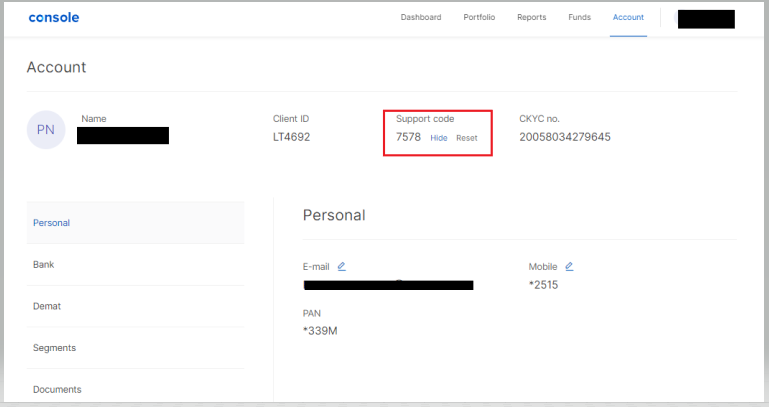
- Unique dashboard: Once the console is logged in, you will see a unique comprehensive dashboard showing a summary of equity, mutual funds, and commodity investment.
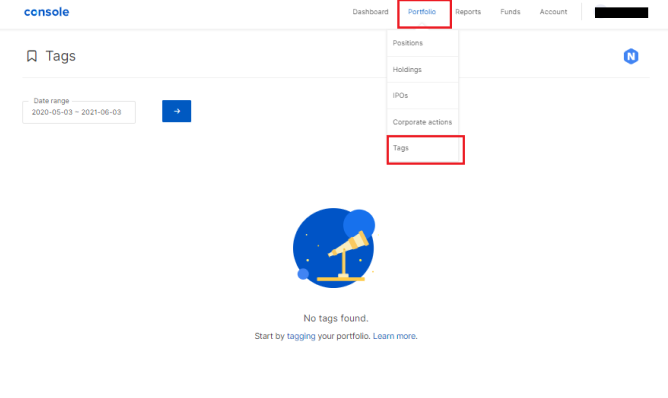
- View portfolio: Check complete portfolio holdings whether invested in equity (stocks), debt, mutual funds, and commodity. The Console also presents a graphical summary of the investment portfolio and shows a broad breakdown across asset class, sectors, and large-cap, mid-cap, small-cap stocks, and others.
- Apply IPO online using UPI: Console Zerodha platform facilitates online IPO investment through UPI for free at zero brokerage.
- Get reports: Zerodha users can download various reports like tradebook report, P&L report, tax P&L report, and others as per their requirements. Here is the summary of all the reports available on Console:
Zerodha Console Reports
| Report | Meaning |
|---|---|
| Tradebook | As the name suggests, it provides details of all the trading transactions across segments. A user just has to select the segment and date range to view all the trades. |
| P&L | It provides a summary of all the profits made and losses incurred on the trades. Users can select the date and segments to check historical P&L. P&L Heatmap is also available on the Console. |
| Tax P&L | This report specifies the amount of tax payable on all the profits made through trading. |
- Download Contract Note: Users are allowed to download equity, currency, and commodity contract notes or statements from the “download” option under the “Reports” menu.
- Funds: Check the fund balance of Zerodha Equity and commodity trading account. Console Zerodha also facilitates withdrawing funds from your account.
- Refer: A client can refer Zerodha account to his friends and/or family members and get rewards, once they open an account. Zerodha rewards and referrals program provides 10% of the brokerage paid by referrals and 300 reward points.
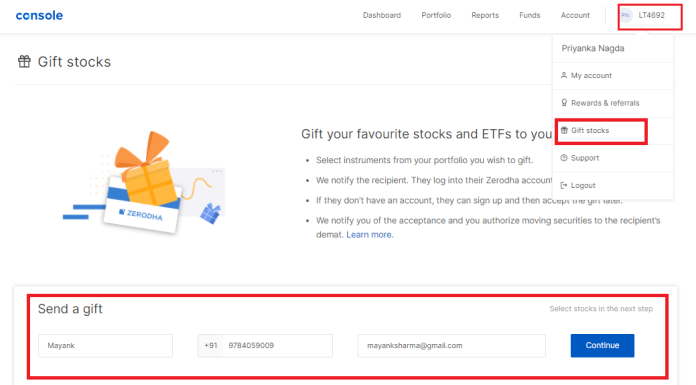
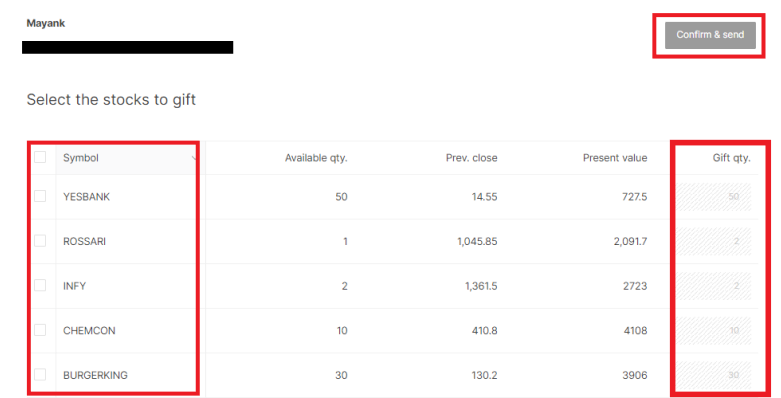
- Gift stocks: In Nov 2020, Zerodha has introduced a platform to gift stocks, ETFs, and gold bonds to friends, family members, and their loved ones.
Zerodha Console IPO
Zerodha customers canapply for IPO online using UPI on the Console back-office platform. Here is the process on how to invest in IPO through Console:
- Log in to Zerodha Account on the Kite.
- Access to the Console Zerodha back-office platform.
- On the top menu bar, go to the “Portfolio” tab and click on the “IPO” option.
- Now, among the list of open IPOs, click on the “Apply” option respective to the IPO, you want to apply for.
- Enter UPI ID, lot size, and price and submit the application.
- Accept the mandate request sent to your BHIM UPI app, once done, means the IPO application has been successfully submitted.
Zerodha Console Login
Console web is accessible through Kite web as well as Kite Mobile App. Here is the simple process on how to log in with the Zerodha Console? Thus, Zerodha Console doesn’t require any separate login ID/user ID and password.
- Go to the Zerodha Kite web or Kite Mobile App.
- Enter login ID and password to log in with the Kite.
- Go to your “Client ID” and under the menu, click on the “Console” option.

- You will be redirected to the Console Zerodha Dashboard.

- Alternatively, you can access console.zerodha.com, tap on the “Login with Kite” and enter Kite login credentials.

Zerodha Console Support
- Firstly, log in to the Kite web or mobile app.
- Click on the “Client ID”.
- From the menu, select the “Support” option.
- It will direct you to the Zerodha support page to resolve your query. You can even login to the Console support using Kite credentials and raise a ticket to the Zerodha support team, who will respond to your query within 24 hours.
Zerodha Console Withdrawal
-
The Console Zerodha platform facilitates the withdrawal of funds from your trading account. The Console allows online funds withdrawal or payout upto the withdrawable limit. Log in to the Console, go to the “Funds” tab, and proceed with withdraw option to withdraw funds from your Zerodha Trading Account.
Zerodha Console App
-
The digital broking firm has not yet launched the Console app for users. Users can only access Console over the web by login into their Zerodha account on the Kite trading platform.
Zerodha Console Web
-
It doesn’t matter whether you access Console through Kite web or Kite Mobile App, the Console web platform will be accessible only on any of the supported browsers i.e. Chrome, Safari, etc. it is not yet available in the mobile app version.
Zerodha Console Final thought
Central reporting dashboard of Zerodha account, Console is the best back-office platform to allow users to check their complete portfolio summary, view positions, get trade book & P&L reports, download contract notes, and apply for IPOs. It is a free reporting dashboard that is not charged with any fee. However, the only weakness is that the discount broker has not yet provided Console mobile app and is only available in the web version.